We have already written several posts on the ways in which modern technologies are changing education. We have discussed how IoT can make the classroom a safer and more personalized space and explored new challenges and demands for future specialists. We also talked a bit about gamification, microlearning and AR/VR application as e-learning tools.
However, one of the most critical changes we are witnessing in education is that the school is changing its image — and its mission — from a place to study hard and show respect to a place where you can be entertained as well as taught.
In this new environment, teachers are challenged to adopt new attitudes and technologies immediately — the demand that averts rather than attracts. To help teachers, we have selected the best (in our opinion) AR applications that can be used in the classroom from preschool settings to high schools.
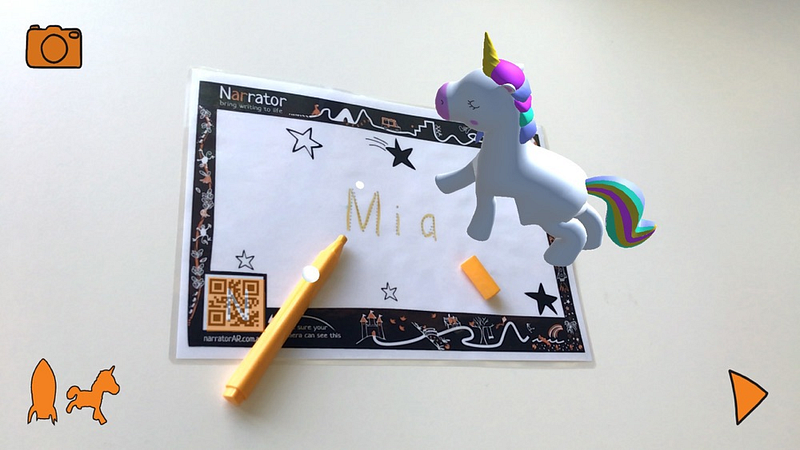
The Narrator AR app is designed for the youngest children aged 3–5 who are mastering handwriting skills. It encourages children to write words and letters with a pen and paper, then takes the child’s handwritten word and launches it off the page using augmented reality (AR). To make it safe for little users, the application is free from in-app purchases, and ads and does not require a constant Wi-Fi connection.
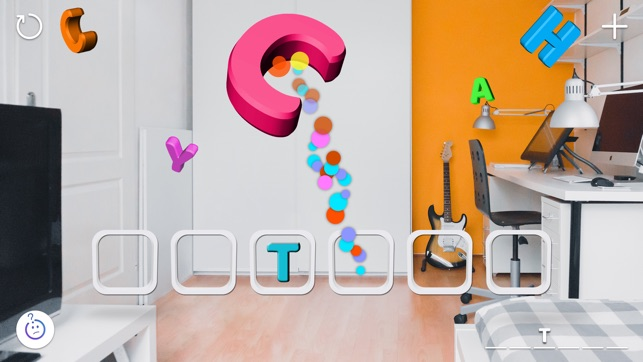
Catchy Words AR is a simple educational word game for ARKit-powered devices. The player catches floating letters without touching the screen and arranges them in the frame so they make up a word in English, solving a word puzzle. Intelligently combining movement and learning, this app is good for young children, who are only beginning to read and spell.
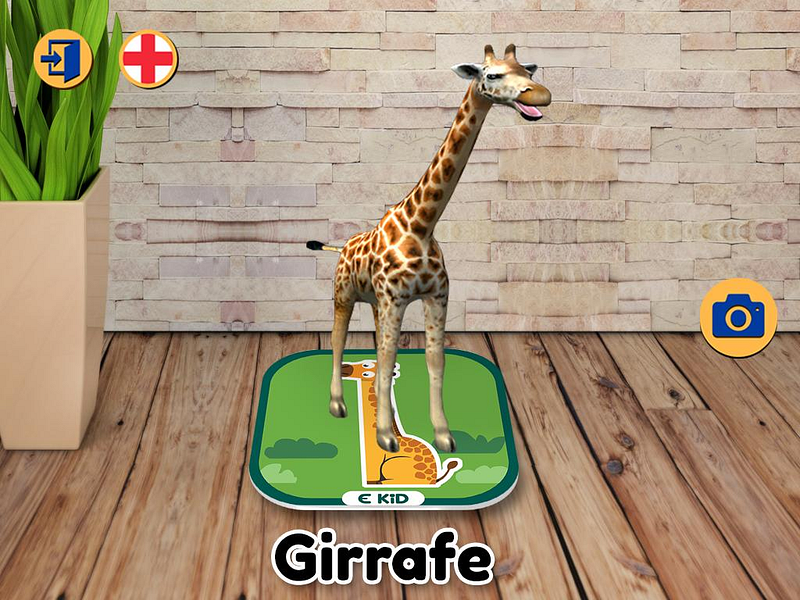
EKID — The world at your fingertips
EKID — The world at your fingertips is an AR app for children up to 8 years old that helps them explore the world around them with the help of augmented flash cards. The application explores animals, including mammals, insects, and other creatures, and various modes of transport. The application is free from in-app ads, however, there are in-app purchases for further flashcard content. Though there might be more specific information on the flashcards giving more details on each subject, it is a good introductory application for young learners that provides endless fun for children to explore the app at their own pace whilst embracing the interactive technology.
https://www.educationalappstore.com/
Figment AR allows users to turn the world around them into an augmented funhouse. Users are able to create imaginative scenes and add interactive components like emojis, animals, and other playful objects, along with environmental effects, such as fireworks and snow.
These AR flashcards cover a variety of topics for elementary school students, including alphabet, shapes and colors, simple addition, and space objects. Children can turn their devices towards a flashcard to see beautiful 3D objects on the screen and can interact with them and hear lots of interesting facts if they just tap the info button.
JigSpace is an educational app that offers a library of knowledge. Each so-called “Jig” is a 3D presentation of how everyday things work, explained in simple steps and viewed in visual terms in augmented reality. It’s a flexible collaborative app where users can create their own Jigs. Still quite basic, some of the Jigs include how a car engine works, how a coffee machine works, and what’s inside the planet Earth which makes them interesting for older children as well.
Anatomy 4D is a free AR app that lets students interact with the human body. At first, students print out a 4D-enabled image of the human body or heart from the app’s Target Library. Then the app uses the device camera to bring to life a three-dimensional image, revealing the spatial relationships of our organs, skeleton, muscles, and body systems. Visually stunning and completely interactive, Anatomy 4D makes a step forward in education creating an imaginative and compelling environment for students.
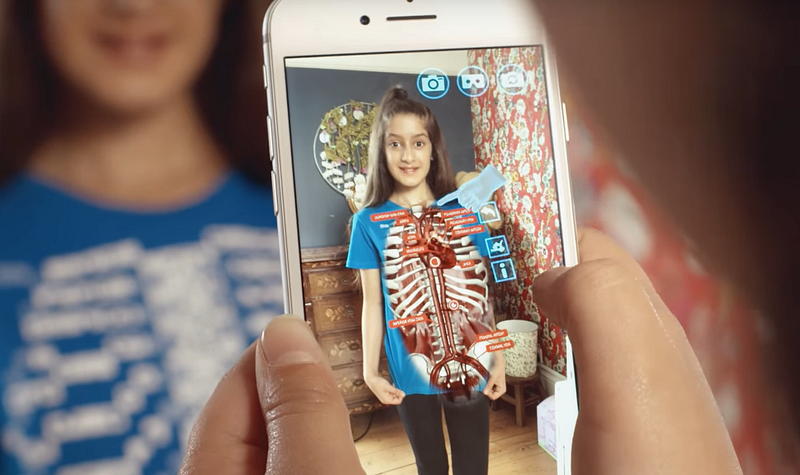
Curioscope is another physiology and anatomy app. The company offers a wearable T-shirt, called Virtuali-Tee, as a product that can be viewed through a mobile device app to open internal organs, allowing students to dive into an anatomy learning experience.
Elements 4D is a classroom app for learning chemistry that allows students to view and interact with 36 different elements, providing detailed information such as atomic weight, fun facts, and trivia about each. The manufacturer provides paper or wooden blocks inscribed with chemical symbols, and the app transforms them from inanimate objects to dynamic representations of each depicted chemical element. Students can work in pairs or small groups with an iPad to bring the element blocks together and test their predictions.
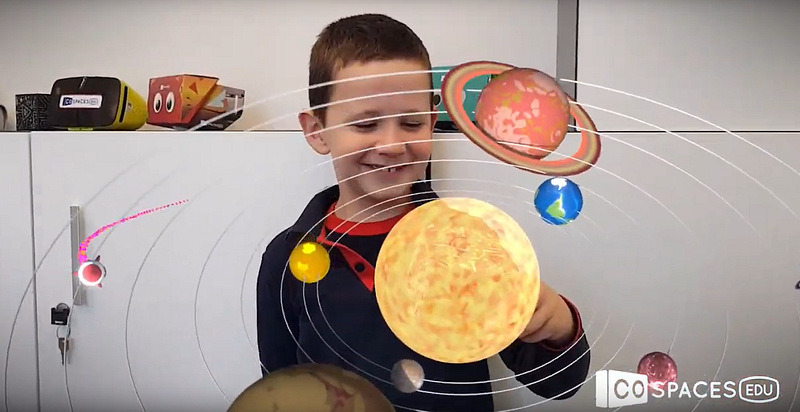
Dedicated to older students, CoSpaces Edu allows them to build their own 3D creations out of a library of content, then animate their creations with code, and explore them in augmented reality or virtual reality. Students can also project their virtual creations onto any surface in the real world in AR. The app promises to improve digital literacy skills, enhance creativity, and promote creative collaboration.
https://www.youtube.com/channel/UC6VsnmaKQ9MNRpJbFsIhoGw/
As you can see, AR is a powerful tool to ensure a more creative and engaging learning environment for students of all ages and for any discipline.